
Description
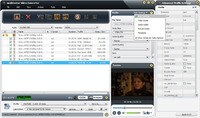
mediAvatar Video Converter Pro
SKU: 4529675
Version: 7
Price: 59.99 USD
mediAvatar Video Converter, an all-in-one video and audio conversion application, can convert multiform media files: convert video to video, audio and pictures, as well as convert audio to audio and pictures to video. It supports all popular High-Definition and Standard-Definition video formats like AVI, MPEG, WMV, DivX, MP4, H.264/AVC, AVCHD, MKV, RM, MOV, XviD, 3GP, etc., and MP3, WMA, WAV, RA, M4A, AAC, AC3, OGG audios.
mediAvatar Video Converter, a professional video converter, helps you convert between various video and audios as well as convert video to audio and pictures. It support almost all video/audio formats, like AVI, MPEG, WMV, DivX, MP4, H.264/AVC, AVCHD, MKV, RM, MOV, XviD, 3GP, MP3, WMA, WAV, RA, M4A, AAC, AC3, OGG, etc. The output video and audio files can be played on iPod, PSP, iPhone, iPod, BlackBerry, Apple TV, etc. This video converter not only converts videos but it is also a video editor which helps you specify your own multimedia file by clipping and converting segments, customizing output file sizes, splitting and merging, etc.
New:
Fully compatible with NVIDIA® CUDA technology, speeding up the video encoding/decoding (especially high-definition video) by 5X on any PC with CUDA-enable GPU.
Features:
1. Support the encoding and decoding of High-Definition (HD) videos.
2. Edit video effects, crop video screen size, add subtitles/soundtrack/watermarks to output video.
3. Clip any video segment from source files to output them respectively or as a merged one.
4. Split one source into several by given duration or file size.
5. Merge multiple source files with transitional effects to output a whole one.
6. Customize output file size with the smart Bitrate Calculator.
7. Set diverse output formats for one file to output various files with different formats or parameter simultaneously.
8. There are more optimized profiles available to fit multiple demands. The profiles are classified by digital devices, using-frequency and user-defined. Even people who have little or no experience with devices like this can edit any profile to create personalized profiles for further use.
9. With batch conversion and multi-threading supported, you can process multiple conversions at the same time in high efficiency.
10. edit ID3 tag for MP3 and WMA files; run the video conversion software in background.
Discount & Promo Code Details:
Video Converter for Mac/PC $10 OFF – Save 10 USD
Expires on: 0000-00-00
